
Every product starts with an idea. But an idea is not enough to carry a product for long.
Once people begin using it, asking questions, reporting problems, paying for it, inviting teammates, or relying on it in their work, the product needs a foundation. Not a bloated enterprise setup. Not a huge engineering operation. Just the baseline pieces that make the product understandable, usable, supportable, and able to grow without creating unnecessary pain later.
These are the minimum components every serious product eventually needs.
1. A clear user account system
Most serious products need to know who is using them.
That usually means sign-up, login, password reset, account settings, and sometimes team or organisation access. This sounds basic, but it becomes central very quickly. Without a proper account system, it becomes harder to manage permissions, protect data, personalise the experience, support customers, or understand usage.
A good account foundation saves pain later because you are not constantly patching together identity, access, and ownership after people are already depending on the product.
2. Onboarding that explains the first step
A product should not assume people instantly understand what to do.
Onboarding helps users get from “I just signed up” to “I understand what this does for me.” That might be a short setup flow, a sample project, helpful empty states, or a few guided prompts. It does not need to be complicated. It just needs to reduce confusion.
Good onboarding saves pain later because confused users either leave, ask support for help, or use the product incorrectly.
3. Core settings and preferences
Every product eventually needs a place where users can manage the basics.
This may include profile details, notifications, billing information, integrations, privacy options, team members, or product-specific preferences. Settings are not exciting, but they give users control.
Without them, every small change becomes a support request. A proper settings area saves pain later by letting users manage common needs themselves.
4. Permissions and roles
As soon as more than one person can use the product together, permissions matter.
Who can invite people? Who can delete things? Who can see billing? Who can edit important data? Even a simple product can run into problems if everyone has the same level of access.
Roles and permissions save pain later because they prevent accidental damage, reduce security risks, and make the product safer for teams and businesses to adopt.
5. A reliable data model
Behind every product is a structure for storing information.
This includes the main objects in the product, how they relate to each other, who owns them, and what happens when they are edited or deleted. If the data model is messy, the product becomes harder to build, debug, and scale.
A reliable data model saves pain later because future features become easier to add. Poor structure early on usually turns into expensive cleanup later.
6. Billing and plan management
If the product is commercial, it needs a clean way to handle payment.
That includes pricing plans, trials, invoices, upgrades, downgrades, cancellations, and failed payments. Even if billing starts simple, it should be treated as part of the product experience, not an afterthought.
Good billing saves pain later because money-related confusion quickly damages trust. Users need to know what they are paying for, what they have access to, and how to change it.
7. Notifications and communication
Products need ways to communicate with users at the right time.
This might include email notifications, in-app alerts, product updates, reminders, security messages, or billing notices. The key is making communication useful rather than noisy.
A thoughtful notification system saves pain later because users stay informed without needing to constantly check the product or contact support.
8. Search, filtering, and basic organisation
As products grow, users create more data.
What starts as a short list can quickly become hundreds or thousands of items. Users need ways to find, sort, filter, group, or archive what matters.
Basic organisation saves pain later because a product that feels simple at the beginning can become frustrating once users have real volume inside it.
9. Error handling and recovery
Things will go wrong.
A request will fail. A payment will not go through. A file will not upload. A user will delete something by mistake. Serious products need to handle these moments clearly.
Good error handling explains what happened, what the user can do next, and whether anything was lost. Recovery options, confirmations, undo flows, and helpful messages all reduce frustration.
This saves pain later because users are more forgiving when the product helps them recover instead of leaving them stuck.
10. Support and feedback loops
Every product needs a way for users to ask for help or share feedback.
This could be a help centre, contact form, live chat, issue reporting flow, or simple feedback button. The format matters less than the fact that users know where to go when something is unclear or broken.
Support and feedback loops save pain later because they reveal problems early. They also stop valuable user insight from getting lost in scattered emails, calls, or social messages.
11. Analytics and product visibility
A serious product needs to know what is happening inside it.
Analytics help teams understand what users do, where they get stuck, which features matter, and where the product is failing. This does not mean tracking everything. It means tracking the few things that help the team make better decisions.
Product visibility saves pain later because, without it, teams rely on guesses. And guesses become expensive when they guide roadmap, design, and engineering decisions.
12. Security and privacy basics
Security is not something to add only after the product gets big.
At a minimum, a product should protect user data, use secure authentication, manage access properly, handle sensitive information carefully, and make privacy expectations clear.
Security basics save pain later because trust is hard to rebuild once it is broken. Even small products need to behave responsibly with user data.
13. Documentation and internal clarity
The product also needs to be understandable to the team building it.
That means documenting key decisions, setup steps, product rules, technical assumptions, customer workflows, and common support answers. Documentation does not need to be perfect, but it should prevent the same questions from being answered over and over again.
Internal clarity saves pain later because teams move faster when knowledge is not trapped in one person’s head.
14. Admin tools
Eventually, the team behind the product needs a safe way to manage the product.
Admin tools might help the team look up users, resolve billing issues, review activity, change account status, investigate bugs, or manage content. Without admin tools, teams often make risky manual database changes or depend too heavily on engineers for routine support.
Admin tools save pain later because they make operations safer, faster, and less dependent on ad hoc fixes.
15. A clear product checklist
The foundation of a serious product is not about adding every possible feature. It is about making sure the product can survive real use.
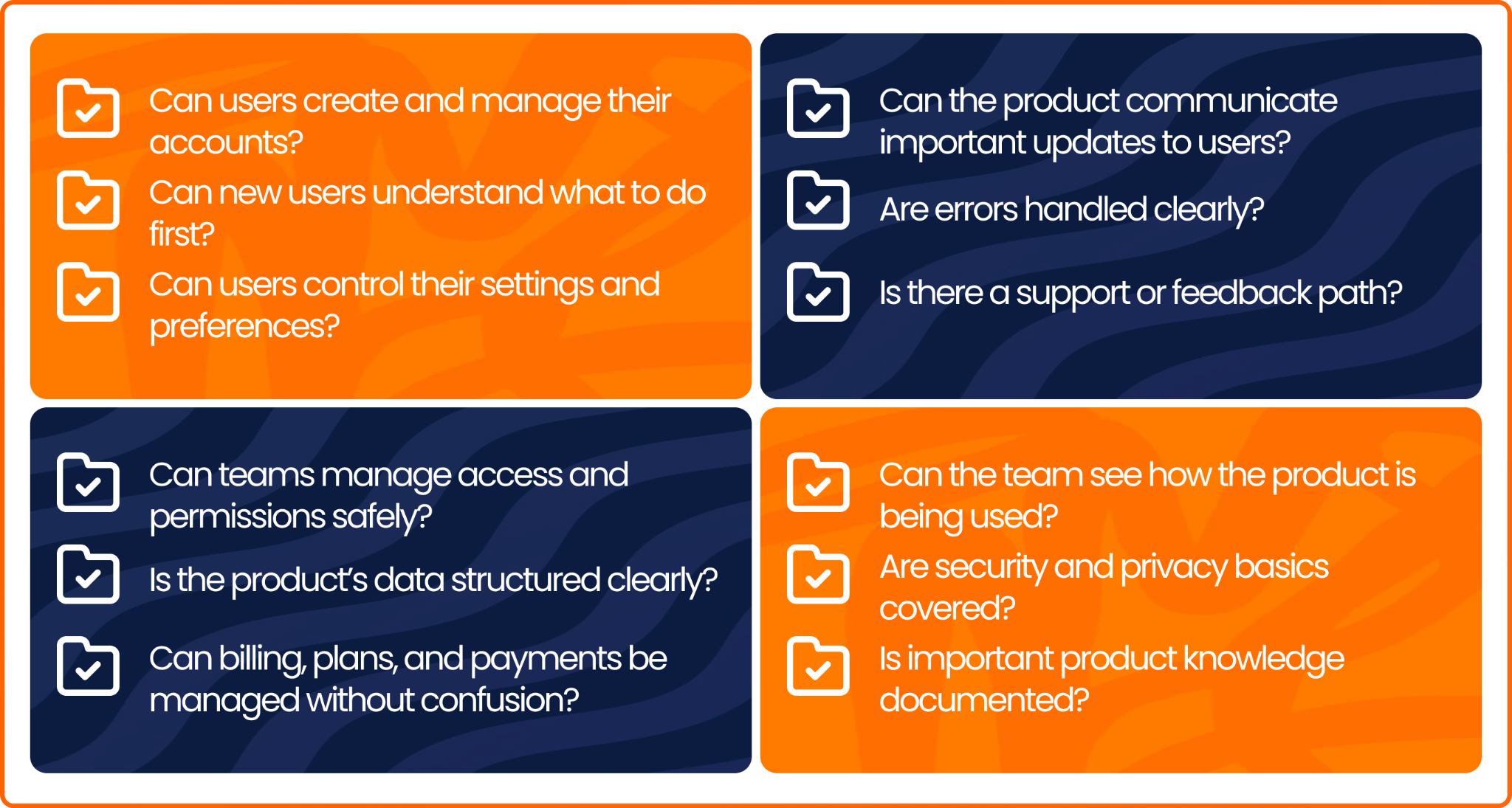
Before a product is treated as mature, it should be able to answer these questions:
- Can users create and manage their accounts?
- Can new users understand what to do first?
- Can users control their settings and preferences?
- Can teams manage access and permissions safely?
- Is the product’s data structured clearly?
- Can billing, plans, and payments be managed without confusion?
- Can the product communicate important updates to users?
- Can users find and organise their information?
- Are errors handled clearly?
- Is there a support or feedback path?
- Can the team see how the product is being used?
- Are security and privacy basics covered?
- Is important product knowledge documented?
- Can the team manage users and issues safely through admin tools?
These pieces may not all be built on day one. But if the product is serious, they will become necessary. The earlier they are considered, the less painful they are to add later.
Conclusion
Every successful product is built on more than great ideas. It is built on the systems that make it reliable, secure, and ready to grow. Assurdly helps organisations build those foundations, creating products that are designed not just to launch, but to scale with confidence.